
Chat Output
What and how it can be used:
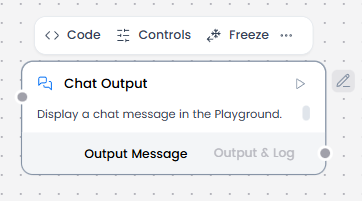
The Chat Output component displays AI agent responses in a conversational chat interface. It renders messages from the agent in real-time, maintaining a visual dialogue between the user and the AI, and can display various content types including text, formatted content, and media. Works with message objects that contain conversation metadata.
When/how the component should be used:
- Use alongside Chat Input to create complete conversational interfaces
- Essential for displaying multi-turn conversation flows where users need to see the full dialogue history
- When Agent Core processes user input and generates a response, it sends that response to Chat Output for display
Connections with other components:
- Agent Core
- Chat Input
- Text Input
- Text Output
- API Request
- Directory
- News Search
- RSS Reader
- SQL Database
- Web Search
- Language Model
- Batch Run
- LLM Router
- Parser
- Save File
- Smart Function
- SplitText
- Structured Output
- Type Convert
- Listen
- Notify
- Smart Router
- Calculator
- Guardrail
- Calculator
- Human-in-the-loop
- Bing Search API
- Google Search API
- ChromaDB
- If-Else
Configurable settings:
- Inputs
Control Section:
- Inputs
- Store Messages
- Sender Type
- Sender Name
- Session ID
- Data Template
- Basic Clean Data
Default values:
- Store Messages : on
- Sender Type : Machine
- Sender Name : AI
- Data Template : {text}
- Basic Clean Data : on
Desired Behaviour:
- Show final agent or LLM response clearly.
- Does not alter content unless specified.
- Display messages with conversation context